











A lot of teams have a collection of Nagios plugins and custom monitoring scripts that have been running reliably for years. Some are standard community plugins for checking disk health or SSL certificate expiry. Others are homegrown Bash or Python scripts that check something very specific to the business: whether an API endpoint returns the right payload, whether a batch job completed on time, whether a queue depth is within bounds. These scripts work, they’re battle-tested, and nobody wants to rewrite them.
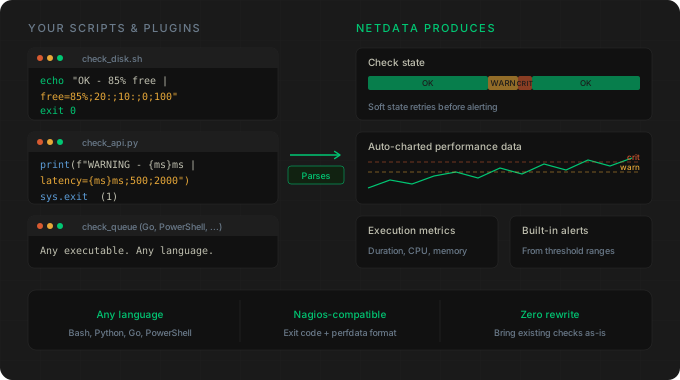
Netdata can now run them natively. The new Nagios plugins collector executes any Nagios-compatible plugin or custom script on a schedule, tracks the check state (OK, WARNING, CRITICAL, UNKNOWN), measures execution metrics (duration, CPU time, memory usage), and automatically parses and charts any Nagios performance data in the output. If the performance data includes warning and critical thresholds, Netdata creates built-in alerts from them too.
What this means in practice
If you have a script that outputs standard Nagios plugin format, you point Netdata at it, and you get:
Check state tracking on a chart that shows transitions between OK, WARNING, CRITICAL, and UNKNOWN over time. This gives you a visual history of the check’s health that you wouldn’t get from Nagios alone.
Execution metrics showing how long each check takes to run, how much CPU it consumes, and its memory footprint. Useful for spotting checks that are degrading over time or consuming more resources than they should.
Automatic performance data charts. This is the part that saves the most work. Any performance data your script emits after the pipe character (|) gets parsed and turned into proper Netdata charts with the correct units. A script that outputs free_pct=85%;20:;10:;0;100 used_kb=2380912KB;;;0;16380000 produces a percentage chart with threshold lines and a bytes chart, automatically.
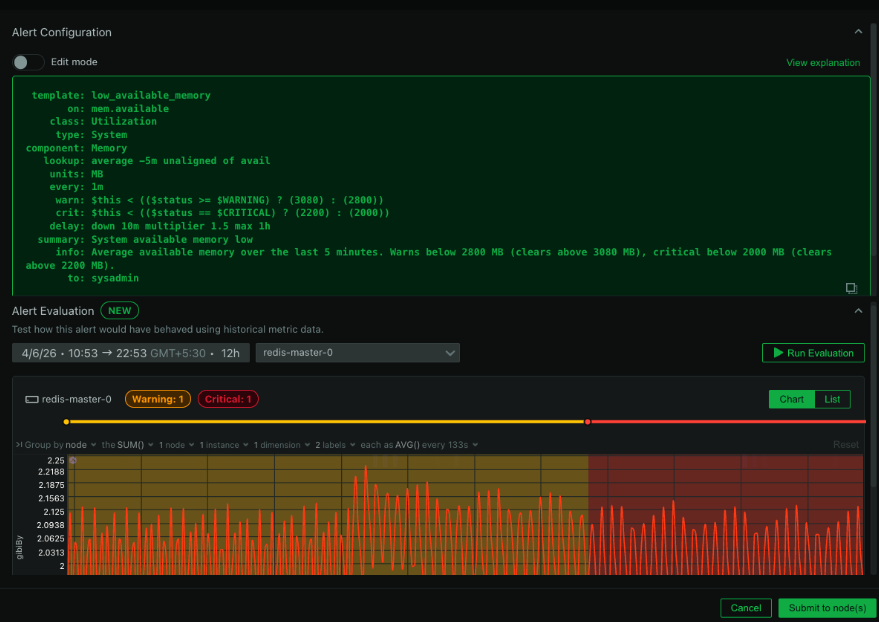
Threshold-based alerting derived from the warning and critical ranges in the performance data. You don’t need to configure Netdata alerts separately. If your script already defines thresholds in its output, Netdata picks them up.
Write checks in any language
The collector doesn’t care what language your script is written in. Bash, Python, PowerShell, Go, a compiled binary, it doesn’t matter. Anything executable that follows the Nagios plugin conventions (exit code for state, optional performance data on stdout) works. This means you can write a quick Bash one-liner for a simple check or a proper Go binary for something more complex, and they both plug in the same way.
A minimal example:
#!/bin/sh
echo "OK - 85% free memory | free_pct=85%;20:;10:;0;100 used_kb=2380912KB;;;0;16380000"
exit 0
Exit code 0 means OK. The text before the pipe is the status message. Everything after the pipe is performance data that Netdata charts automatically.
Soft states and retry logic
The collector implements Nagios-style retry logic. When a check returns a non-OK state, it doesn’t fire an alert immediately. Instead, it enters a soft state and retries at a configurable interval. Only after consecutive failures (configurable via max_check_attempts) does it become a hard state and trigger alerts. If the check recovers during retries, it goes back to OK without anyone getting paged.
This is the same behavior that Nagios users are accustomed to, and it prevents transient failures from generating noise.
Who this is for
If you’re migrating from Nagios to Netdata (or running both in parallel), this collector lets you bring your entire library of checks with you without modification. That alone makes migration significantly less painful.
It’s also useful if you’re not coming from Nagios at all. The Nagios plugin format is simple enough that it’s a reasonable interface for any custom monitoring script. Instead of building a full Netdata collector, you can write a script that prints a line and exits with a code, and you get charts, alerting, and history for free.
For setup instructions, security requirements, and configuration options, see the Nagios Plugins and Custom Scripts documentation.
This feature is available now for all Netdata users.