











When we shipped TV mode, we heard almost immediately: “Great, but I have five dashboards and one screen.” A single dashboard on a wall display covers one view of your infrastructure. If you want to rotate between your network overview, database health, application metrics, and infrastructure summary, someone has to walk over and click, or you’re buying more screens.
Dashboard playlists solve this. You can now select a sequence of dashboards to cycle through in TV mode, with a configurable rotation interval. Set it up once, open the TV mode URL on your display, and the screen rotates through your chosen dashboards on its own.
How it works
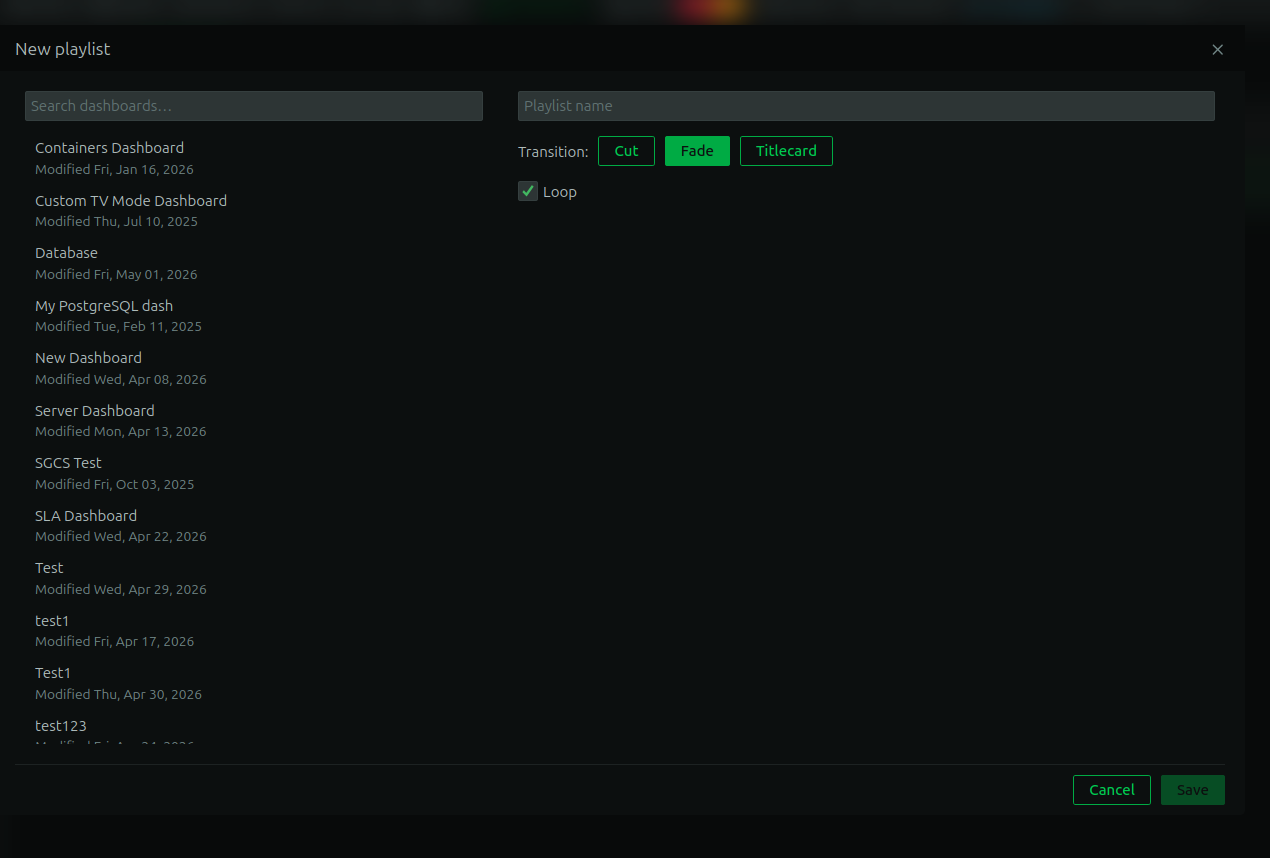
Creating a playlist is straightforward. Select which dashboards you want included, arrange them in the order you want, set how long each dashboard stays on screen before advancing, and save. When you open the TV mode URL, it plays through the sequence continuously.

You can update the playlist at any time. Add a dashboard, remove one, change the order, adjust the timing. The display picks up the changes on the next rotation cycle.
Why playlists matter for operations
The practical value is that a single screen can now serve multiple audiences and multiple concerns throughout the day without anyone touching it.
A NOC display can rotate between infrastructure health, network status, and active alerts. During an incident, you can swap in an incident-specific dashboard and the screen returns to its normal rotation once you remove it. A team area screen can cycle through the services that team owns, giving everyone ambient awareness of what’s healthy and what needs attention.
This also matters for organizations that present operational data to non-technical stakeholders. A screen in a hallway or meeting room can rotate between a high-level infrastructure summary, an SLA dashboard, and a capacity overview, giving leadership visibility without anyone building a separate reporting layer.
Combined with the new custom dashboards (which now support metrics, live function outputs, logs, and infrastructure summary cards), playlists mean a single wall-mounted display can cover a lot of ground.
This feature is available now for all users on a Business plan or free trial.